Describe a show and let your AI assistant set it up
Connect your AI assistant to Tessera over MCP. Tell it about a show, or hand it a spreadsheet of your upcoming calendar, and it creates the events and their tickets as drafts for your team to check and publish.
How it works
AI Show and Ticket Creation
01
One show at a time
Ask in plain words: the act, the date, the doors time and which template to use. The assistant creates the draft show with tickets from your default types.
02
A whole season from a spreadsheet
Give it the calendar of upcoming events you already keep in a spreadsheet. It reads every row, creates each show, and tells you about anything it couldn't fill in.
03
Safe by design
The assistant connects with an API key limited to the scopes you choose, and everything it creates starts as a draft. Nothing goes on sale until your team publishes it.
At a glance
Works with AI assistants that support MCP
Uses your templates and default ticket types
Bulk-creates shows from a spreadsheet
Drafts only, until you publish
Screenshots
See it in Tessera
Click any screenshot to see it full size.
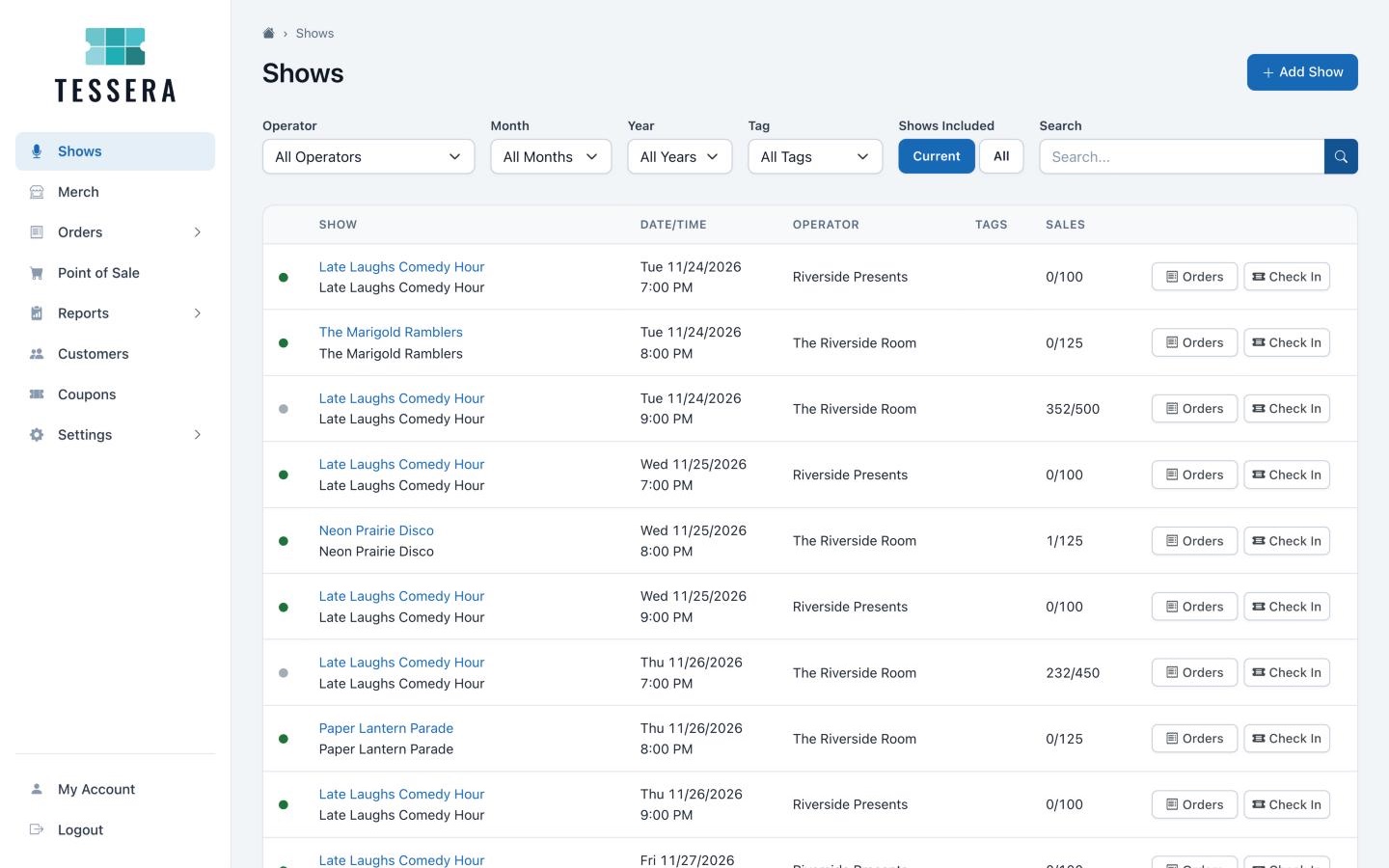
Draft shows waiting for review
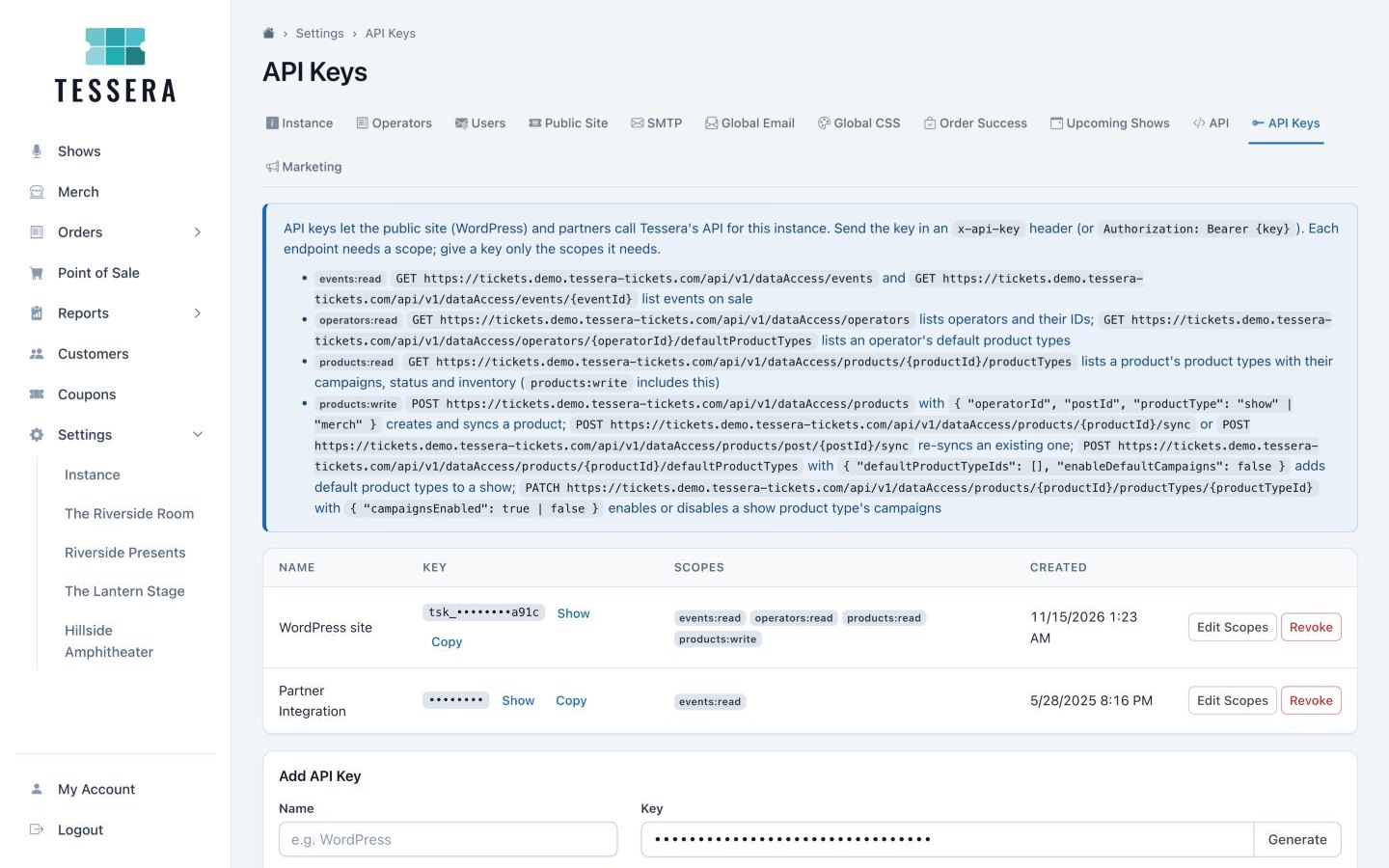
API keys with scopes
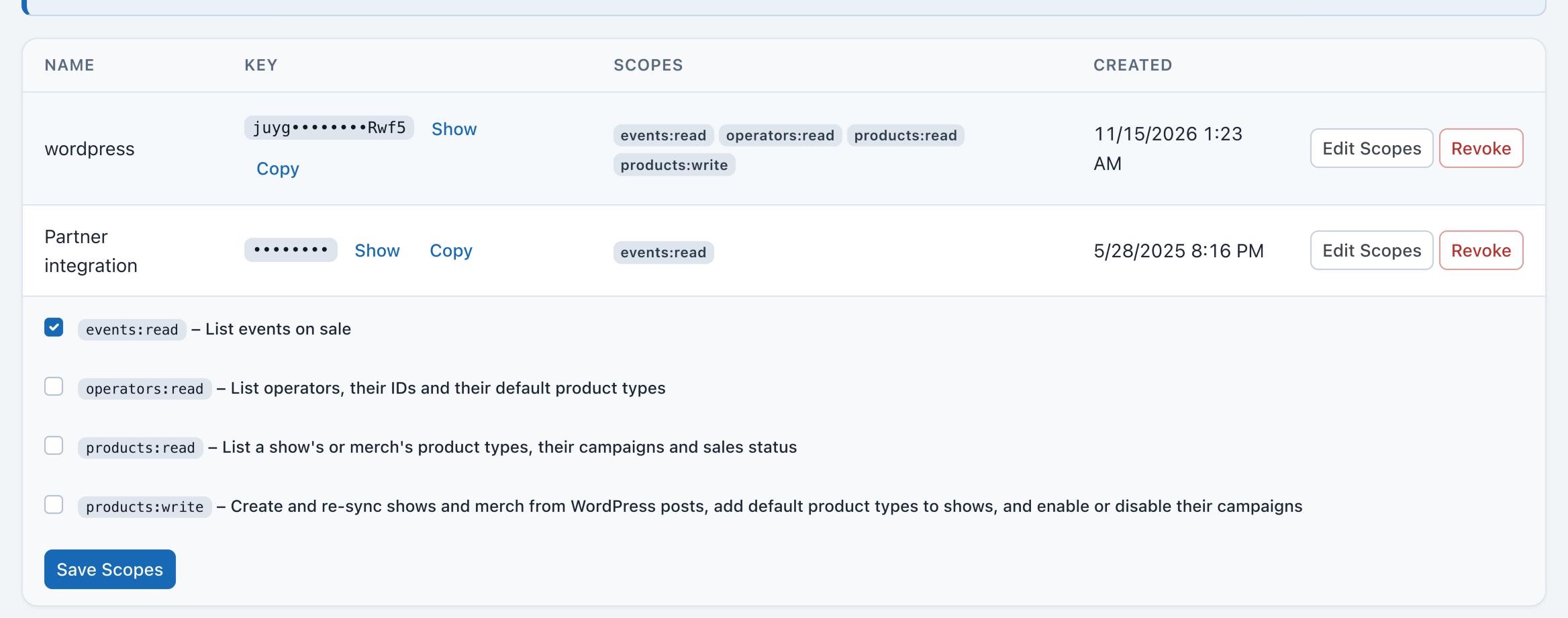
Choosing exactly what a key can do
Keep exploring
Related features
WordPress Show Templates
Most of your shows look alike: the same room, the same doors time, the same ticket types.
Default Product Types
Define the ticket types you sell again and again, with their quantities, prices and fees.
API Integrations
Tessera's API lets your website, partners and other systems work with your shows, tickets and orders.
One simple monthly fee.
We charge a monthly hosting fee for the platform. You set your own ticket fees and keep control of your revenue.