Sell reserved seats from a chart of your room
Guests pick their own seats on an interactive chart of your venue. Mix a general admission floor with reserved sections, price every section separately, and use the same chart at the box office.
How it works
Seating Charts
01
Built from your floor plan
Paste the SVG of your room and generate seat IDs. Tessera numbers every seat by section and row, ready to attach to your ticket types.
02
The same map everywhere
Guests choose seats online, and your box office uses the same chart in the point of sale. Sold and held seats update live.
03
Fits any screen
Charts scale smoothly on desktops and phones, so guests can zoom in and pick seats wherever they buy.
At a glance
General admission and reserved seats together
Price every section separately
Seat IDs generated by section
One chart reused across every show in the room
Screenshots
See it in Tessera
Click any screenshot to see it full size.
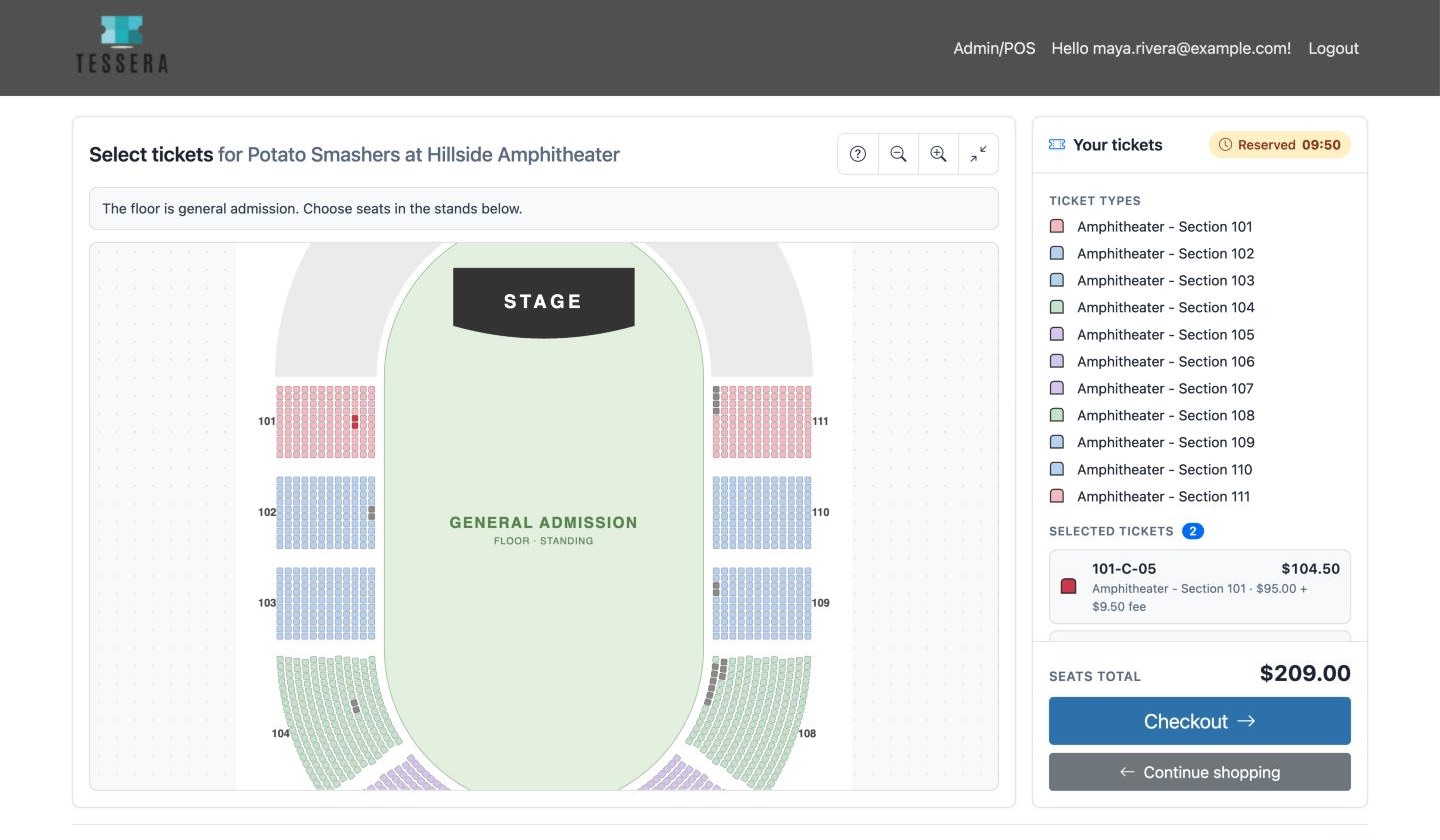
Picking seats online
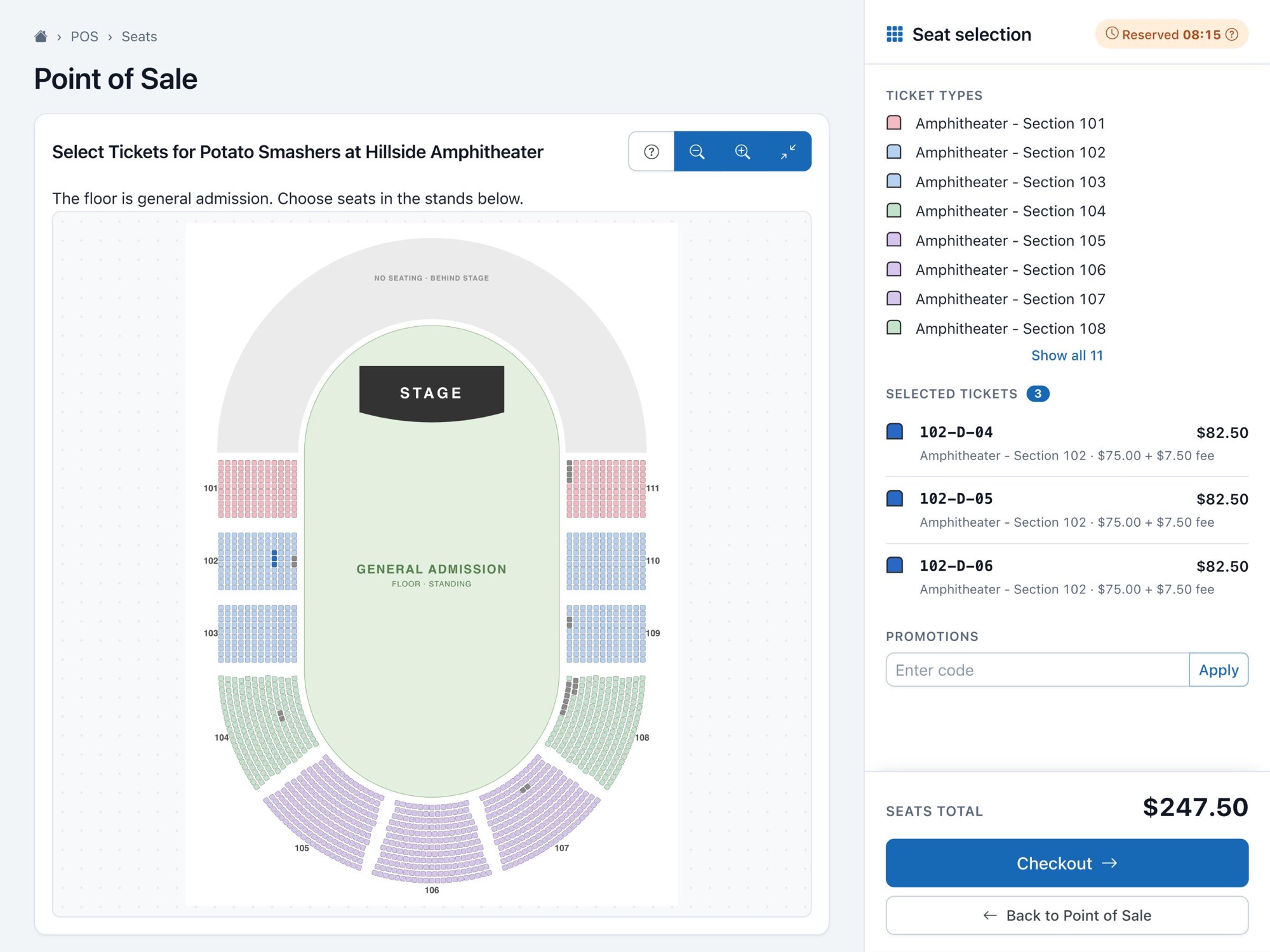
The same chart in the point of sale
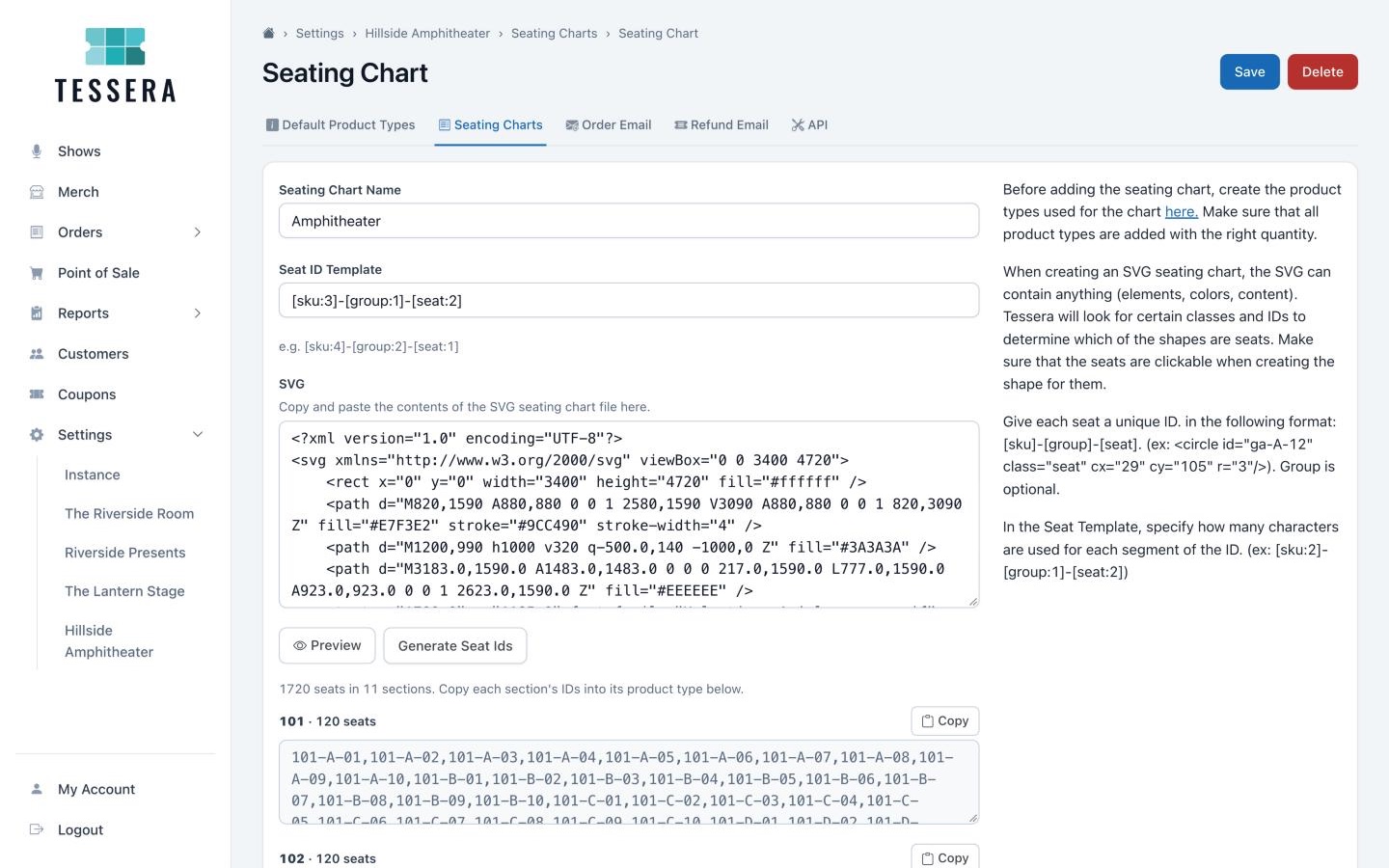
Generating seat IDs
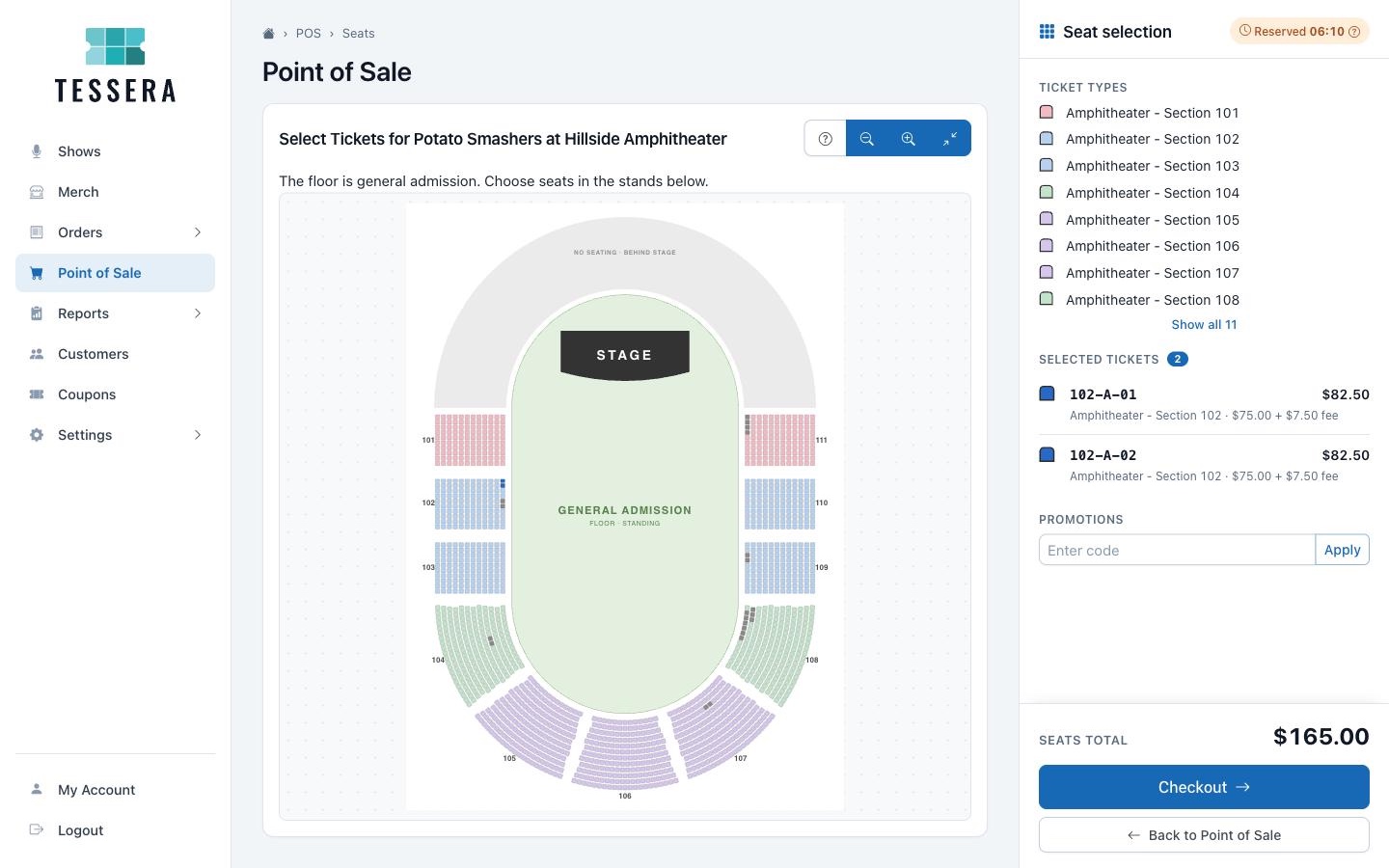
Seat selection at the box office
Keep exploring
Related features
Payment Hardware
Tessera's web-based point of sale works with Stripe's BBPOS WisePOS E card reader for chip, contactless and swipe payments, on the counter or in hand.
New
Default Product Types
Define the ticket types you sell again and again, with their quantities, prices and fees.
Sales Campaigns and Presales
Tessera's campaigns let you schedule presale and on-sale windows for every show, with passcodes, price changes and quantity limits.
One simple monthly fee.
We charge a monthly hosting fee for the platform. You set your own ticket fees and keep control of your revenue.