Unsold tickets move to the next sale on their own
Inventory flows between your sales campaigns automatically. When a presale ends, the tickets it didn't sell move straight to the campaigns still on sale, without anyone moving numbers around.
How it works
Dynamic Inventory
01
One pool, many campaigns
Each ticket type holds the inventory. Campaigns sell from it with their own prices and schedules.
02
Caps and reserves
Cap what a campaign can sell, or reserve a minimum for it, and Tessera keeps everything else available to the others.
03
Price changes on a schedule
Run an early bird, then a standard price, then day-of pricing. Each takes over when the last one ends.
At a glance
Inventory shared across campaigns
Unsold tickets flow on automatically
Maximum and reserved quantities per campaign
Sales progress shown for every type
Screenshots
See it in Tessera
Click any screenshot to see it full size.
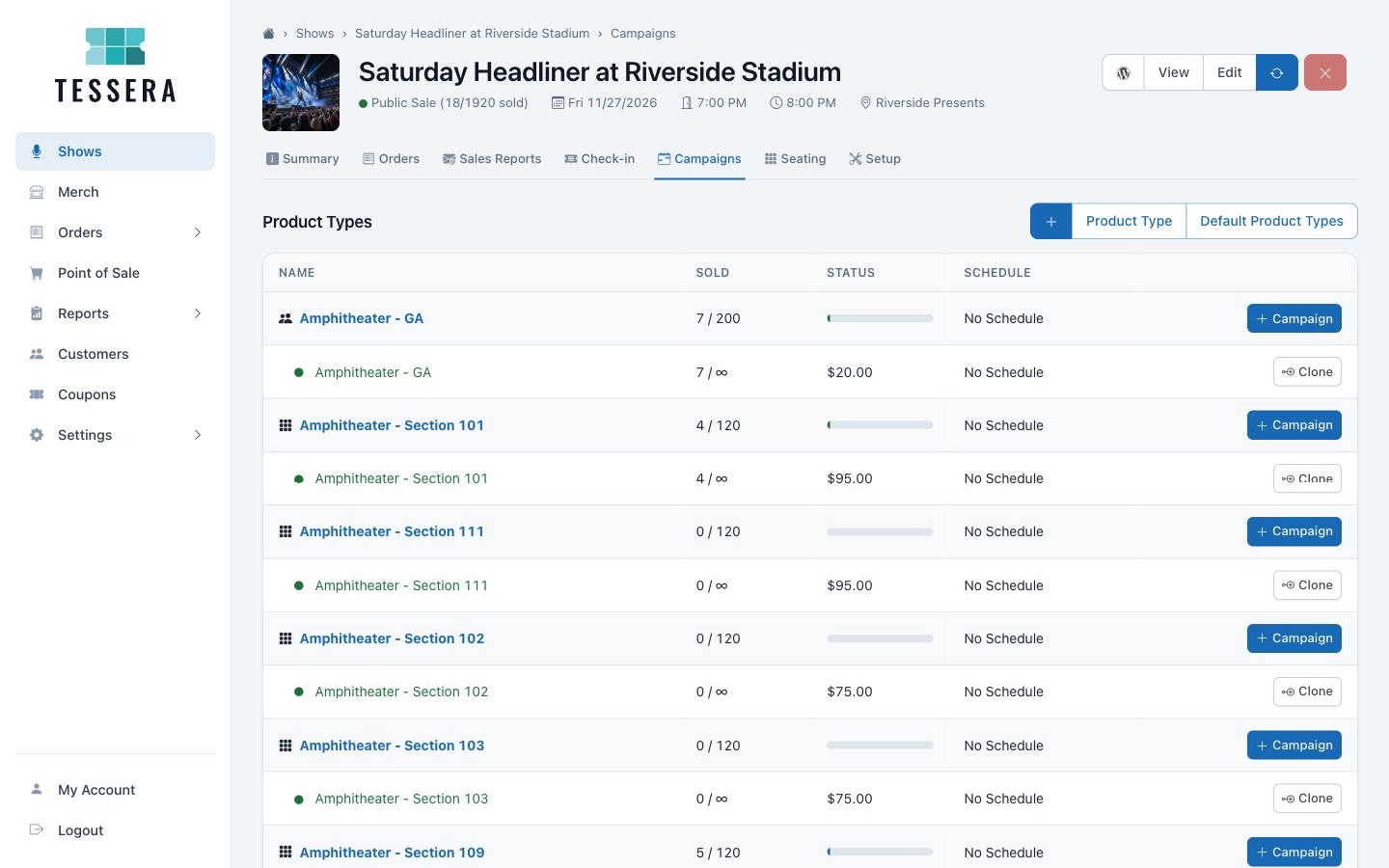
Inventory and sales for each campaign
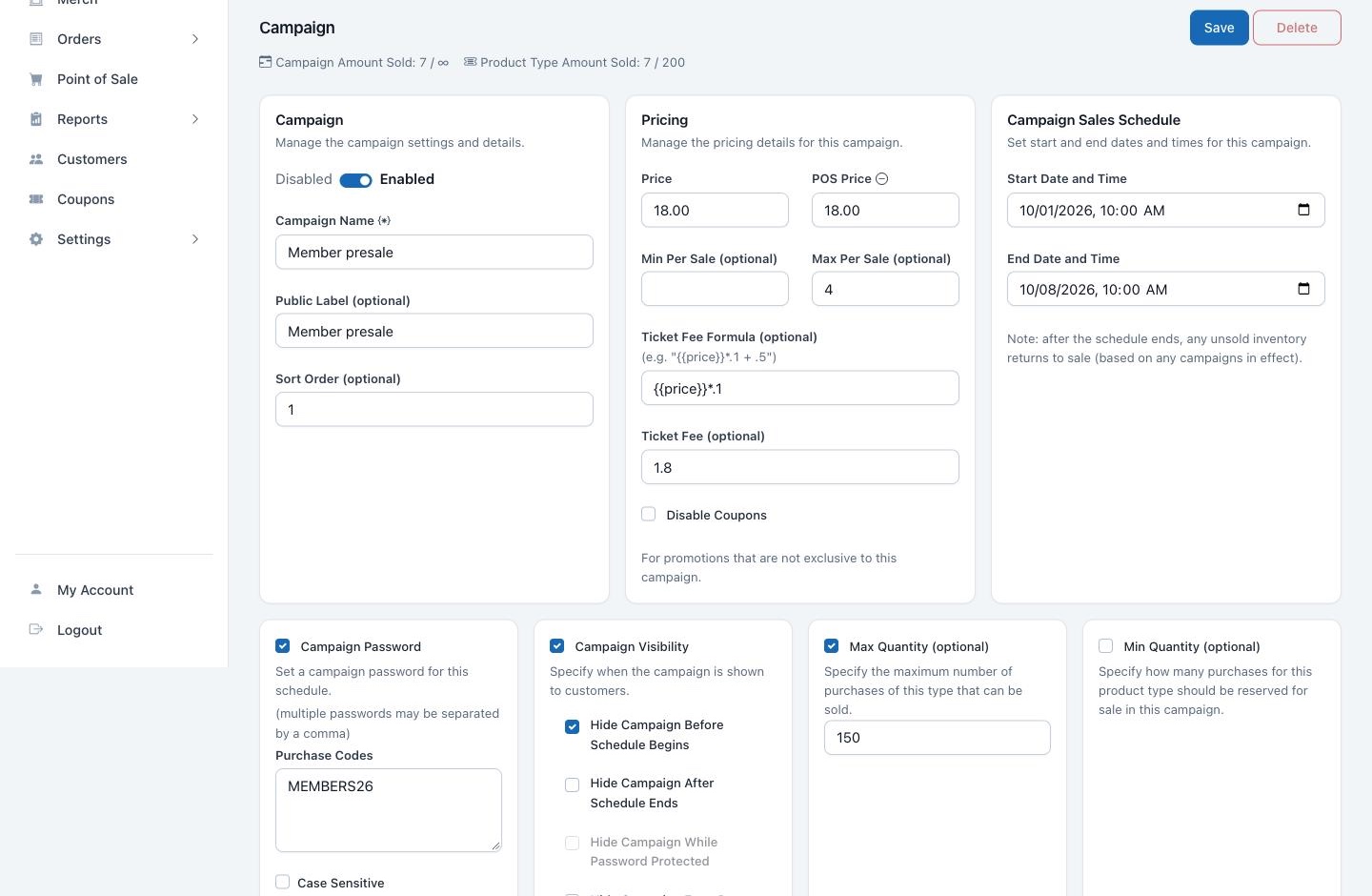
Maximum quantity on a campaign
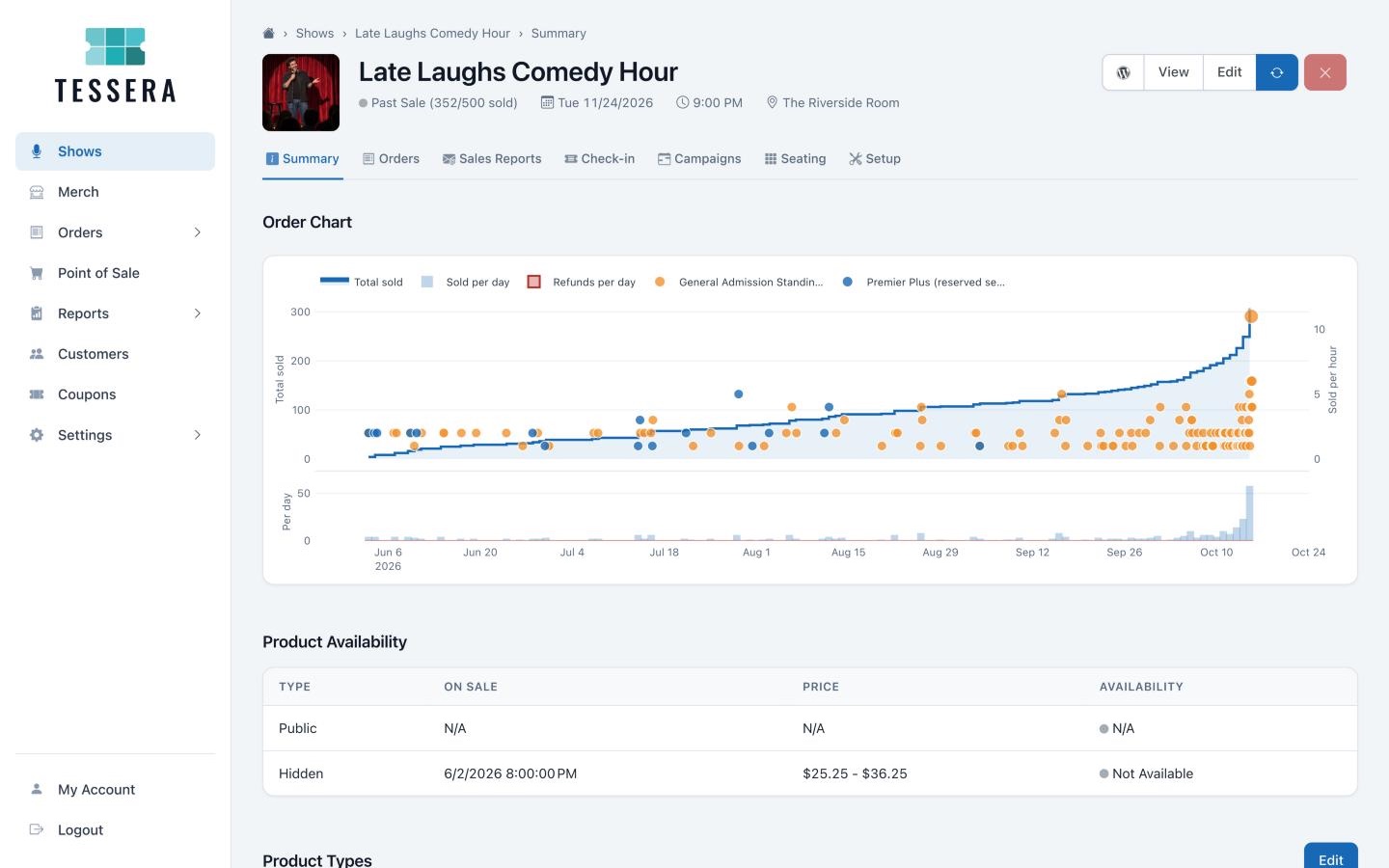
Sales over time
Keep exploring
Related features
Sales Campaigns and Presales
Tessera's campaigns let you schedule presale and on-sale windows for every show, with passcodes, price changes and quantity limits.
Default Product Types
Define the ticket types you sell again and again, with their quantities, prices and fees.
Automate Everything
Tessera includes a workflow automation backend that connects ticketing to your other business applications, from spreadsheets and chat to your CRM.
One simple monthly fee.
We charge a monthly hosting fee for the platform. You set your own ticket fees and keep control of your revenue.