Check guests in with any phone
Every ticket Tessera emails carries a QR code. Door staff scan it with their phone's camera in the Tessera web app. There's no app to install or update, and new staff need almost no training.
How it works
QR Codes and Scanning
01
Point, scan, done
Each scan checks in one ticket and shows the guest's name, ticket type and how many tickets in the order are in, with a success or fail beep.
02
Scanning and the guest list together
Switch between the scanner and the guest list at any time. Tick guests off by hand, track partial pickups, and search or export the list.
03
Refunded tickets can't get in
When a ticket is refunded, its QR code is deactivated, so scanning blocks it at the door.
At a glance
Works with any phone or tablet camera
No app to install
Instant success or fail confirmation
Guest list with search, filters and export
Screenshots
See it in Tessera
Click any screenshot to see it full size.
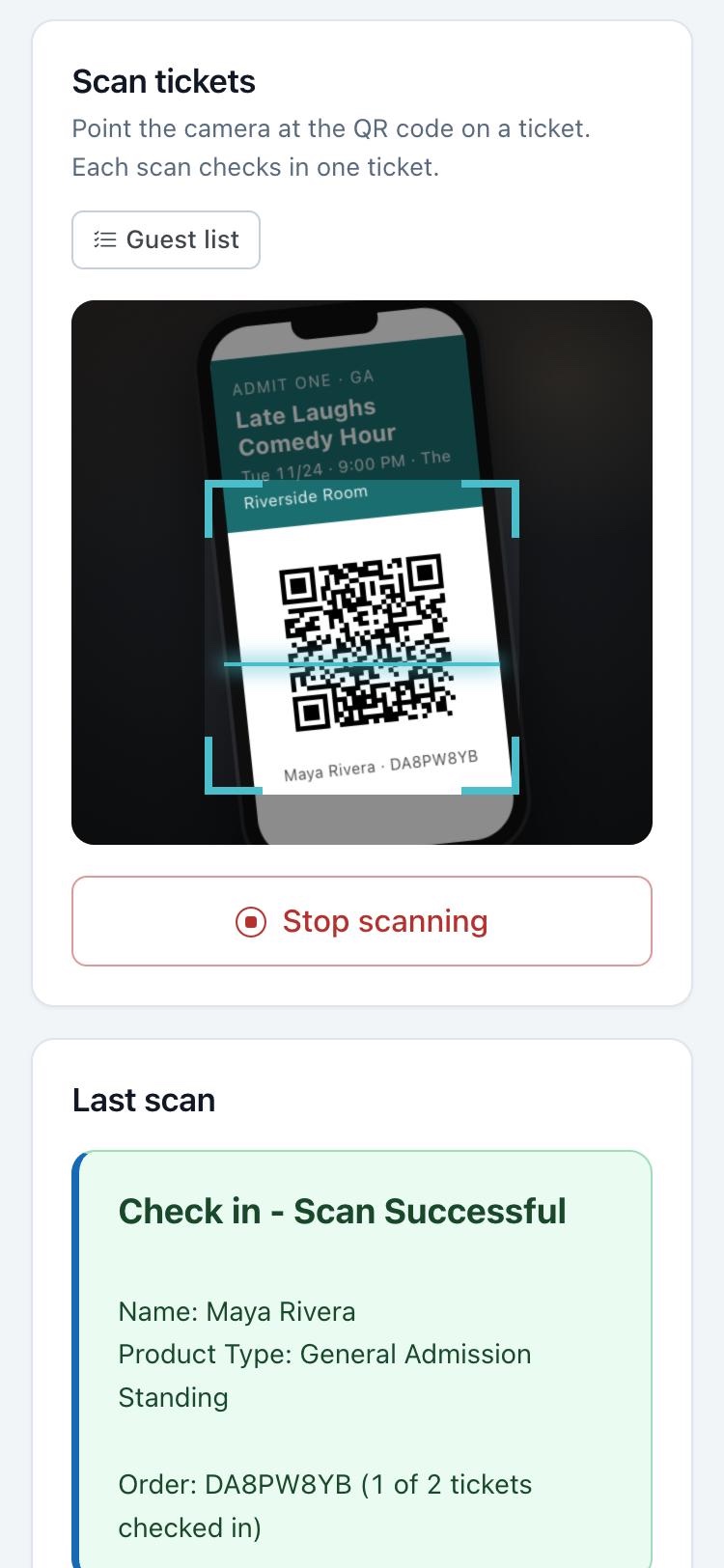
Scanning a ticket on a guest's phone
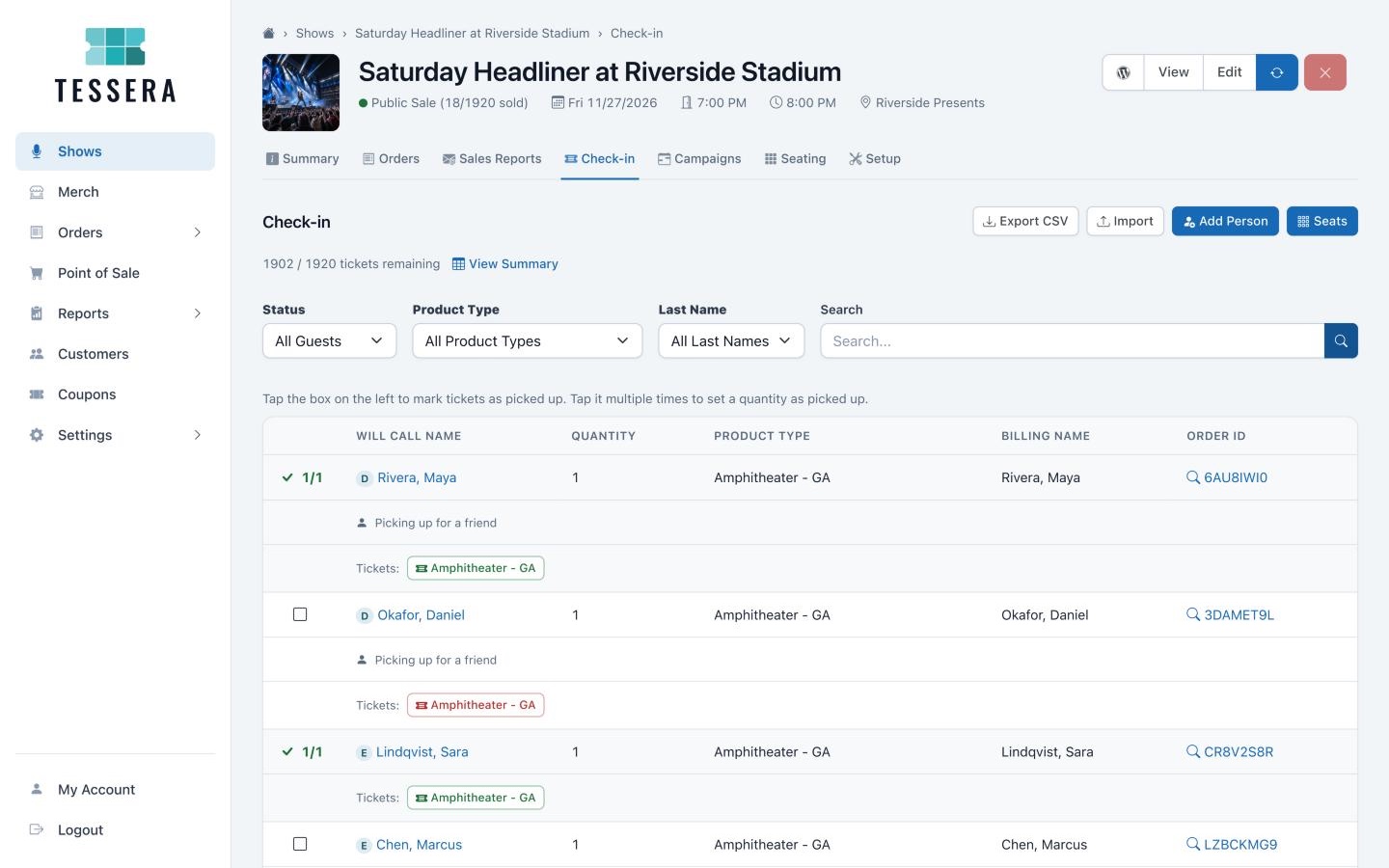
The check-in guest list
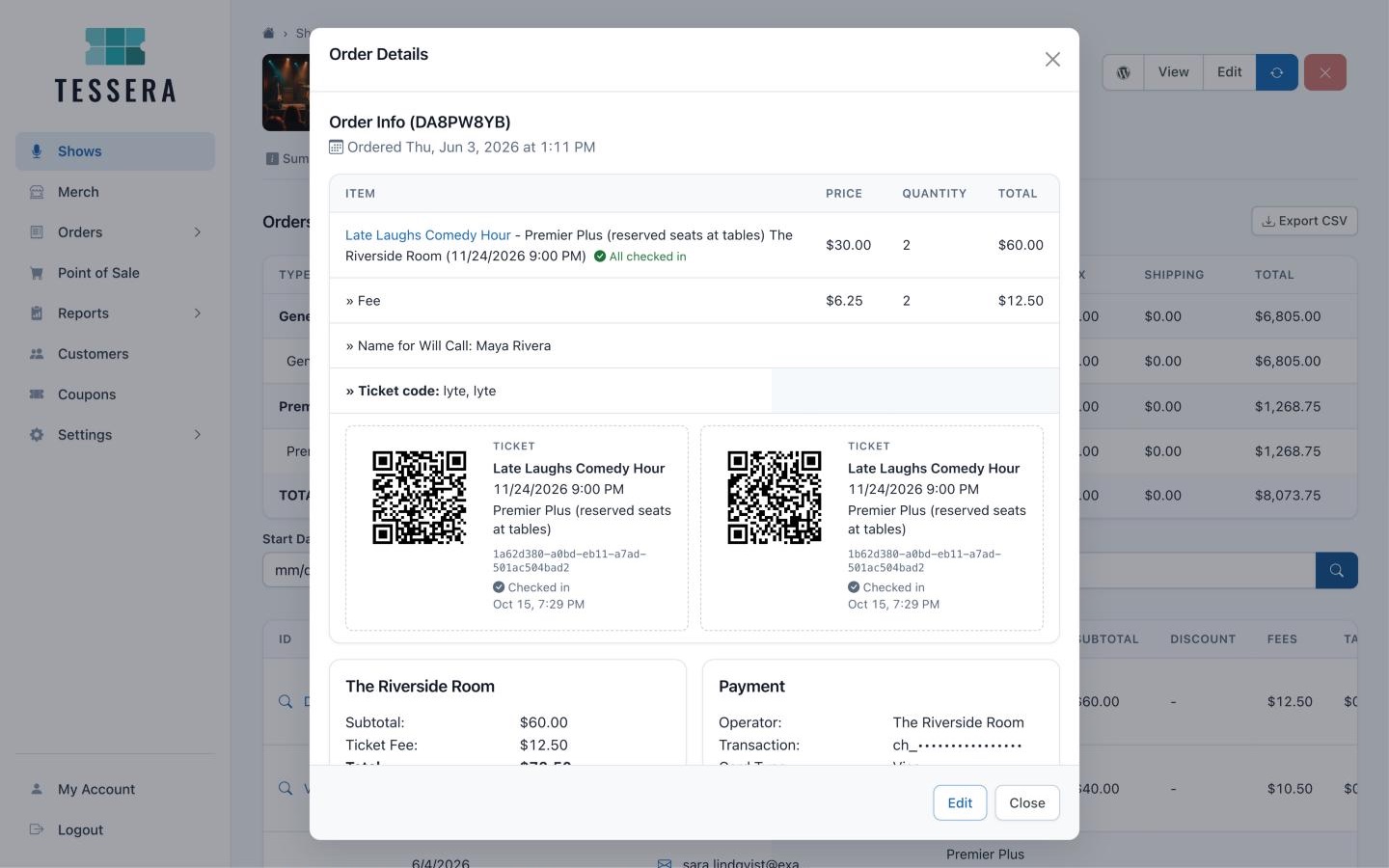
QR codes on an order
Keep exploring
Related features
Digital Wallet Support
Guests can save their tickets to their phone's digital wallet, so they're easy to find at the door, even with a weak signal outside the venue.
Payment Hardware
Tessera's web-based point of sale works with Stripe's BBPOS WisePOS E card reader for chip, contactless and swipe payments, on the counter or in hand.
Seating Charts
Guests pick their own seats on an interactive chart of your venue, choosing from ticket tiers at different prices.
One simple monthly fee.
We charge a monthly hosting fee for the platform. You set your own ticket fees and keep control of your revenue.