Set up your ticket types once
Define the ticket types you sell again and again, with their quantities, prices and fees. Every new show can start with them in place, so there's no rebuilding the same tickets for each date.
How it works
Default Product Types
01
One list for every room
Keep general admission, each seating section and your guest list as default product types, with quantity, price and ticket fee on each.
02
Pick what each show needs
Open a show and choose which default types to add. Types already on the show are marked, so nothing gets added twice.
03
On sale straight away
Tick Enable Default Campaigns when you add them, and the tickets go on sale with a campaign already set up.
At a glance
Quantity, price and fee saved on every type
Add several types to a show in one step
Already-added types are marked
Optional default campaign so tickets go on sale at once
Screenshots
See it in Tessera
Click any screenshot to see it full size.
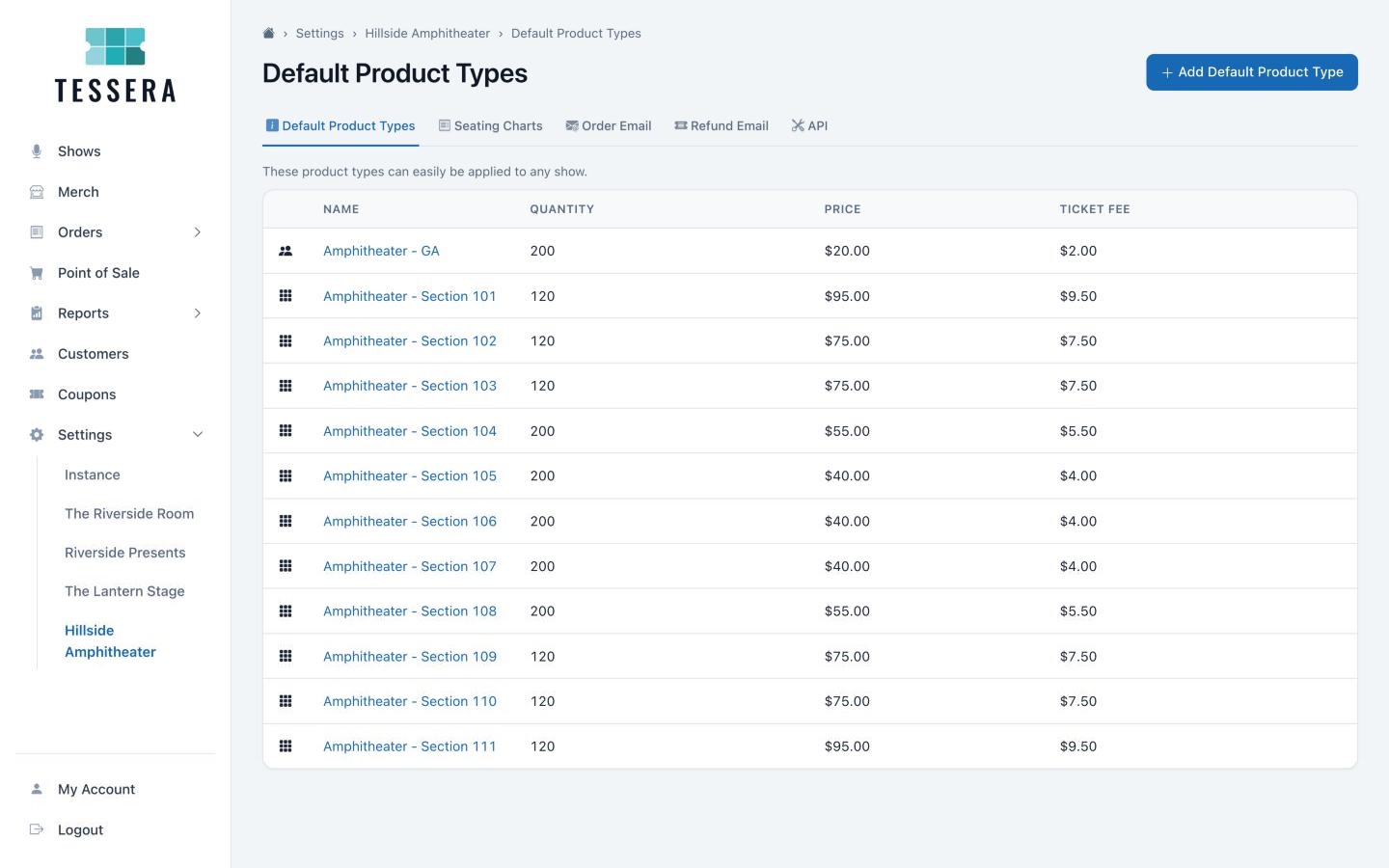
Default product types for a venue
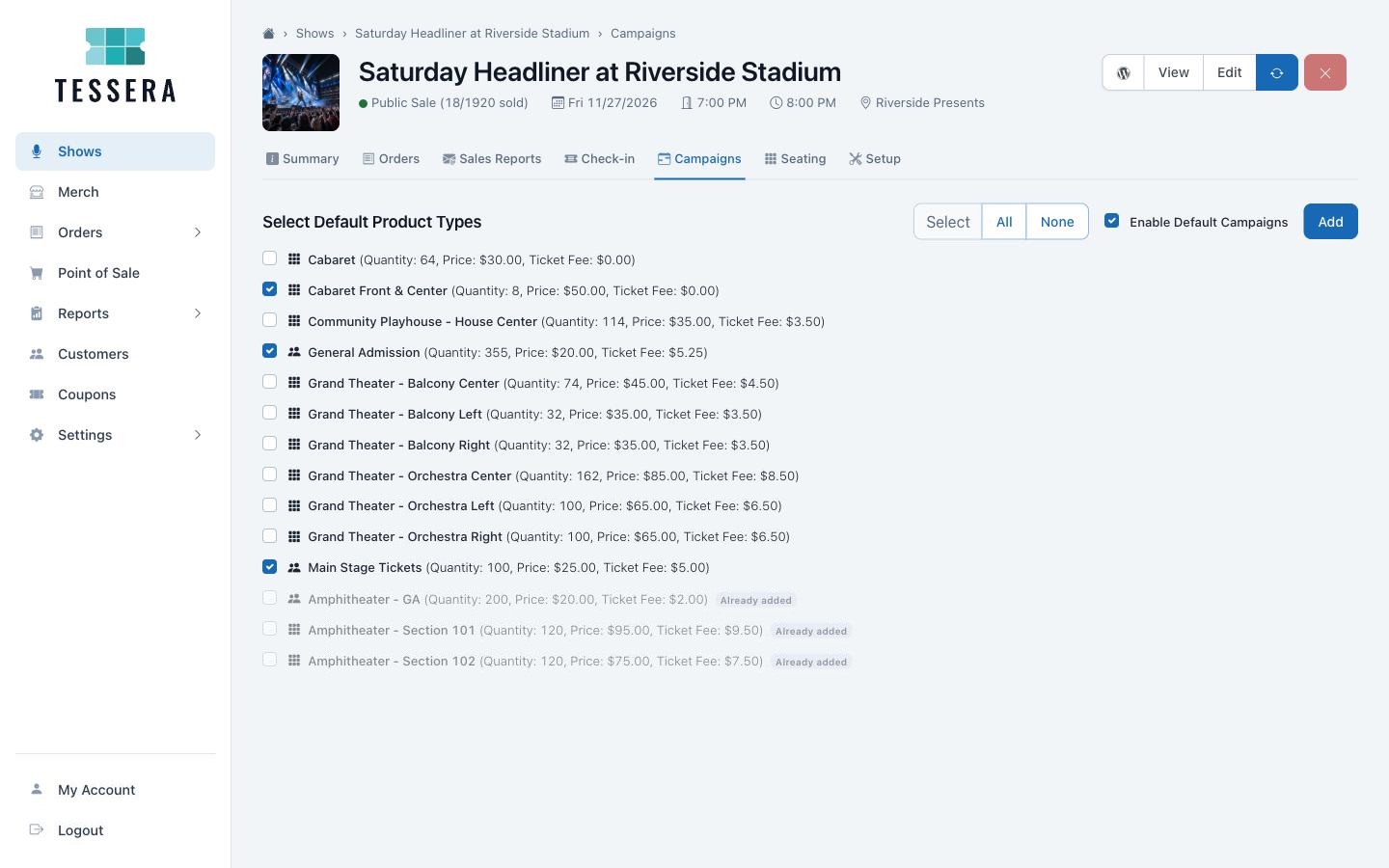
Adding default product types to a show
Keep exploring
Related features
New
WordPress Show Templates
Most of your shows look alike: the same room, the same doors time, the same ticket types.
Sales Campaigns and Presales
Tessera's campaigns let you schedule presale and on-sale windows for every show, with passcodes, price changes and quantity limits.
One simple monthly fee.
We charge a monthly hosting fee for the platform. You set your own ticket fees and keep control of your revenue.